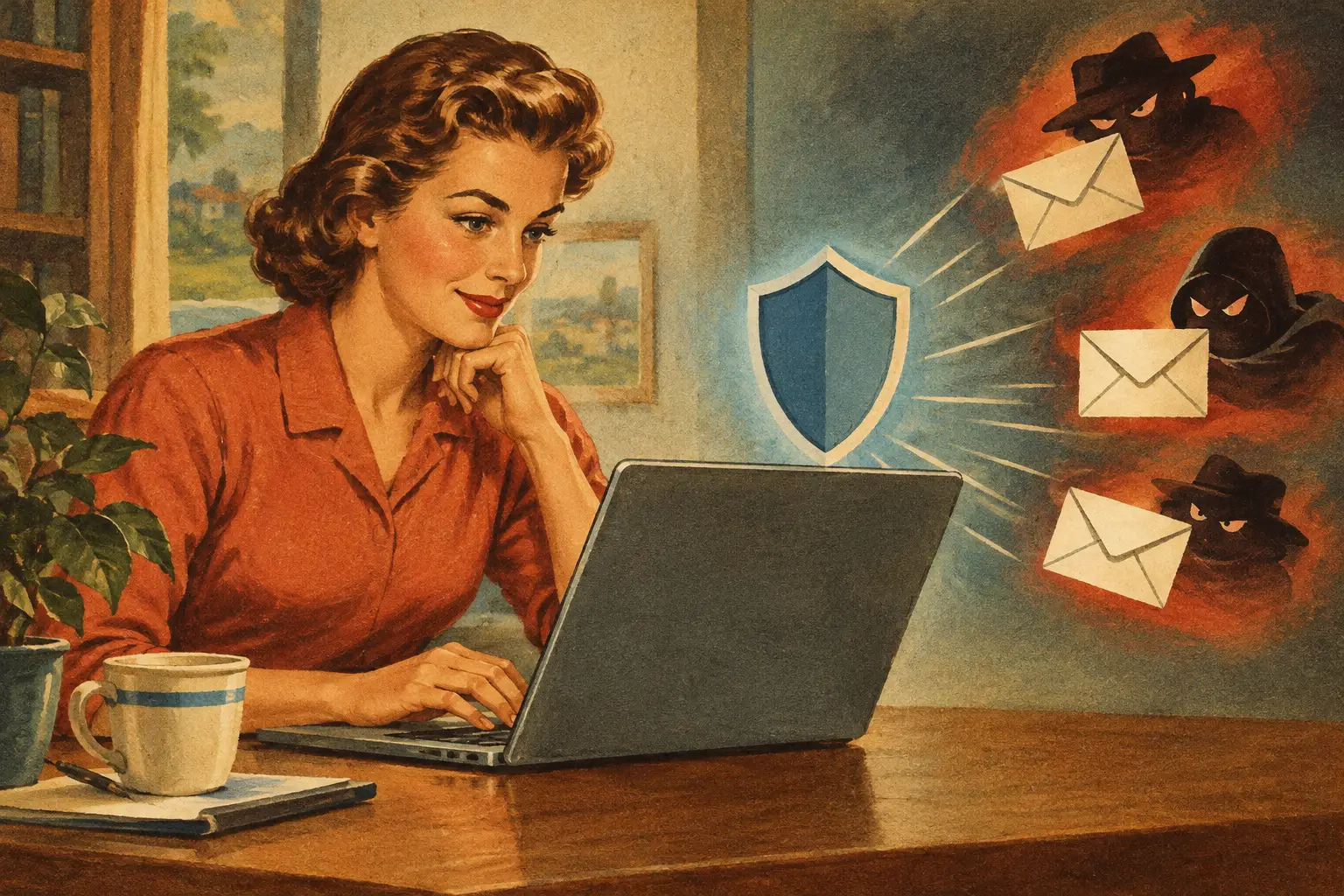
A message from your bank says there is a problem with your account. A delivery company claims it needs a small payment before releasing a package. A friend emails a strange request for gift cards. These messages are designed to create a little panic, then make you act before you have time to think.
Good email security is not about becoming suspicious of every message you receive. It is about having a few calm habits that give you time to check what is real. Once those habits become routine, most scams become much easier to spot.
Why email is still a favorite target for scammers
Email is personal, familiar, and used for almost everything. It holds receipts, appointment confirmations, banking notices, password reset links, family updates, and work documents. That makes it a useful doorway for criminals who want money, passwords, or access to your accounts.
Many scam emails no longer look obviously sloppy. They may copy the logo and colors of a real company, use a sender name you recognize, or mention something believable, such as an overdue payment or a locked account. The goal is usually not to hack your computer through one message. More often, the goal is to persuade you to click a link, enter your password on a fake website, open a harmful attachment, or send money.
The helpful news is that scammers often rely on the same pressure tactics. They want you to feel rushed, worried, curious, or embarrassed. A legitimate organization can still send an urgent message, of course, but a real company will not punish you for taking a moment to verify it.
The pause that protects your inbox
Before clicking anything, pause and look at the message as a whole. Does it make sense? Were you expecting it? Is it asking you to do something unusual?
Pay attention to the actual sender address, not only the display name. An email may say it is from "Microsoft Support" or "Your Bank," while the address behind it is a random collection of letters or a domain that is almost, but not quite, correct. A message from support@micros0ft-help.example is not from Microsoft, even if the logo looks convincing.
Be especially careful with messages that ask you to confirm a password, provide a one-time verification code, pay an unexpected fee, or move a conversation away from normal channels. No trustworthy person needs the code that was sent to your phone or email to "verify" your identity. That code is often the key they need to enter your account.
When a message appears to come from a company you use, do not use its link to investigate. Open your browser or app yourself and sign in the usual way. If there really is an account issue, you should be able to see it there. For a message from a friend, call or text them using a number you already know. Do not reply directly to a suspicious email, since a scammer may be waiting for that response.
Better email security starts with your password
A strong, unique password is one of the most practical protections you can have. Reusing one password across email, shopping, banking, and social media creates a serious risk. If one website has a data breach, criminals may try that same password on your other accounts.
Your main email account deserves the strongest protection because it can reset passwords for many other services. Use a long, unique password that you have not used anywhere else. A password manager can create and remember these passwords for you, so you do not have to keep a notebook full of login details or rely on a familiar phrase.
Then turn on two-factor authentication, sometimes called multi-factor authentication. This adds a second check after your password, such as an approval in an authenticator app, a code sent to your phone, or a security key. It adds one small step when you sign in on a new device, but that trade-off is usually well worth it. If someone learns your password, they still have a much harder time entering your account.
Text-message codes are better than having no second factor at all. However, an authenticator app is often a stronger option because phone numbers can sometimes be targeted through account takeovers. The best choice depends on what you are comfortable using consistently. Security that is too confusing to maintain does not help much, so choose a setup you understand and can access if you replace your phone.
Keep recovery details current
Check the recovery phone number and recovery email address attached to your account. They should belong to you and be accounts you can still access. Remove old addresses, former work emails, or phone numbers you no longer use.
It is also wise to save backup codes in a safe place when a service provides them. These can help you get back into your account if your phone is lost or damaged. Keep them private, just as you would a spare house key.
Attachments and links need a second look
Attachments can be perfectly safe, especially when they come from someone you know and were expecting to hear from. The risk rises when an attachment arrives unexpectedly, has a vague name such as "document" or "invoice," or asks you to enable editing, macros, or other permissions.
If a colleague or family member sends an odd attachment, their email account may have been compromised. Confirm with them another way before opening it. This is particularly important with files that appear to be invoices, tax forms, scanned documents, or shared files. Those topics are common because they encourage people to click quickly.
Links deserve the same care. On a computer, you can often hover your mouse over a link without clicking to see where it leads. On a phone or tablet, press and hold the link to preview it. Look for misspelled company names, unfamiliar web addresses, and extra words placed before or after the real brand name.
A web address can contain the name of a trusted company and still lead somewhere harmful. For example, a site named bank-login.example is not necessarily connected to your bank. The important part is the actual domain, not the words that appear around it.
Set up a safer inbox
Your email provider likely has spam and phishing filters already working in the background. Let them help. Avoid marking every unwanted message as simply deleted. When possible, use the "Report phishing" or "Report spam" option. This helps train the filter and may protect other people from similar messages.
Keep your email app, browser, computer, phone, and tablet updated. Updates can feel inconvenient, but they often repair security weaknesses that criminals know how to exploit. If automatic updates are available, they are a sensible choice for most home users.
Review any email forwarding rules from time to time. Criminals who gain access to an account sometimes create hidden rules that forward messages to them or move security alerts out of sight. Also check the list of devices signed in to your email account. If you see a device or location you do not recognize, change your password immediately and sign out of other sessions.
What to do if you clicked something suspicious
Clicking a link does not automatically mean disaster. The next step depends on what happened. If you only opened a webpage but did not enter information or download anything, close it. Do not continue interacting with the site.
If you entered a password, change that password right away from the real website or app, not from the link in the message. If you used the same password elsewhere, change those accounts too, starting with email and financial services. Turn on two-factor authentication if it is not already enabled.
If you shared banking information, sent money, or gave someone remote access to your computer, contact your bank or card provider immediately using the number on the back of your card or its official website. Time matters in these cases, and there is no shame in asking for help. These scams are built to fool thoughtful people.
For a downloaded file or an unfamiliar program, disconnecting from the internet can limit further activity while you arrange a security check. A proper scan and review can help determine whether anything was installed and whether your accounts or files need additional protection.
Email security is a skill, not a test
Nobody catches every suspicious message at first glance. The goal is not perfection. It is knowing that you can slow down, verify the request, and ask for help before a small doubt becomes a bigger problem.
For families, it helps to talk openly about scams rather than treating them as an embarrassment. A simple household rule works well: no one sends money, passwords, verification codes, or remote access without checking first. That one conversation can prevent a costly mistake.
If your inbox feels overwhelming, your passwords are difficult to manage, or you want someone to walk through the settings with you, patient one-on-one help can make the process much less stressful. No question is silly, and a few well-chosen habits can help you use email with more confidence tomorrow.